2. Decimal verification tutorial
This Tutorial has the goal to quickly teach you, how to verify deployed smart contract in decimal smart chain.
In this tutorial we will use contract written in previous lesson.
How to verify smart contracts in Decimal smart chain
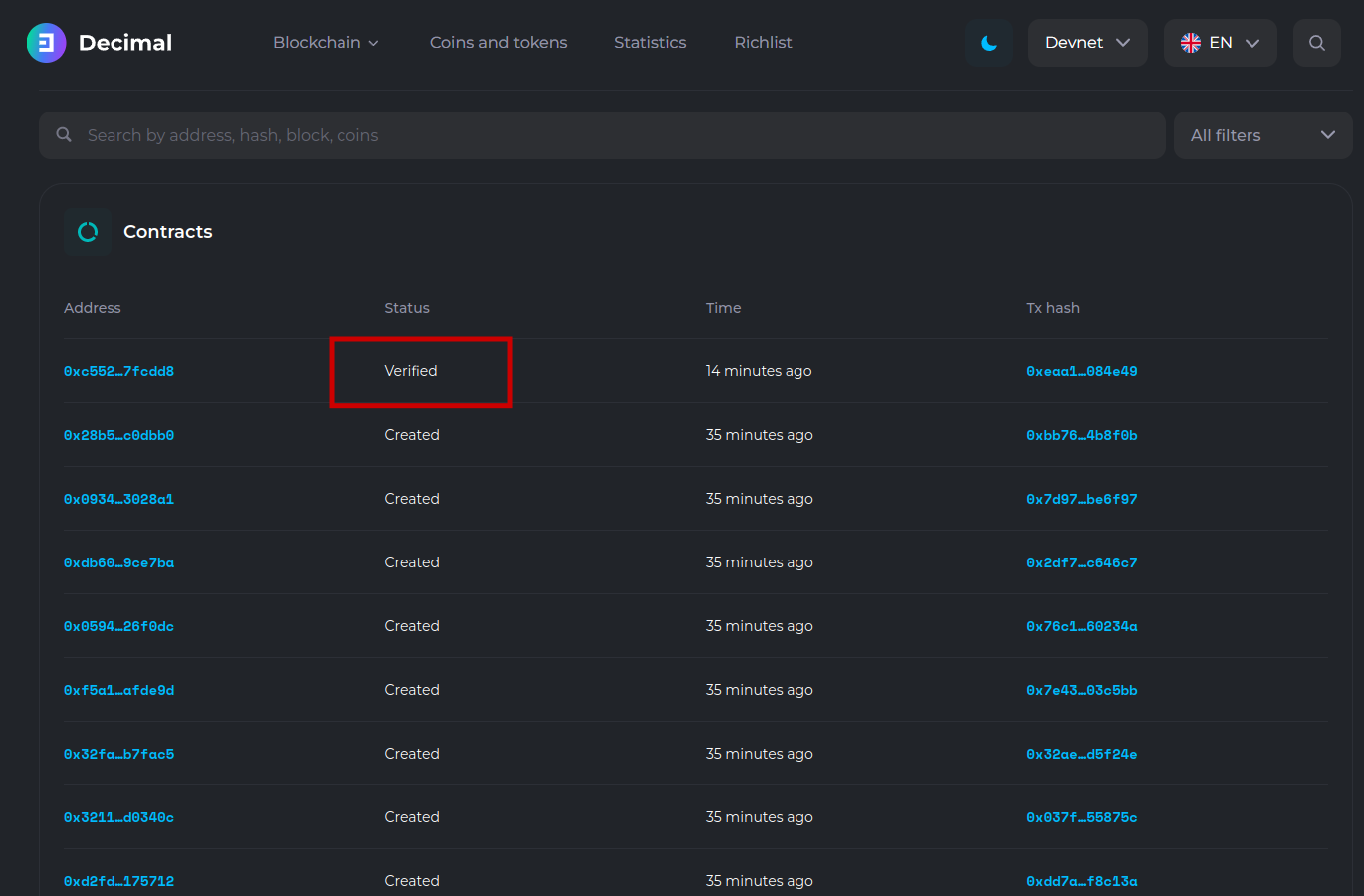
2.1 Open decimal block explorer by link:
https://devnet-dec2.explorer.decimalchain.com/contracts
2.2 Find your contract there, using address gotten in previous tutorial

2.4 Click on Check and publish
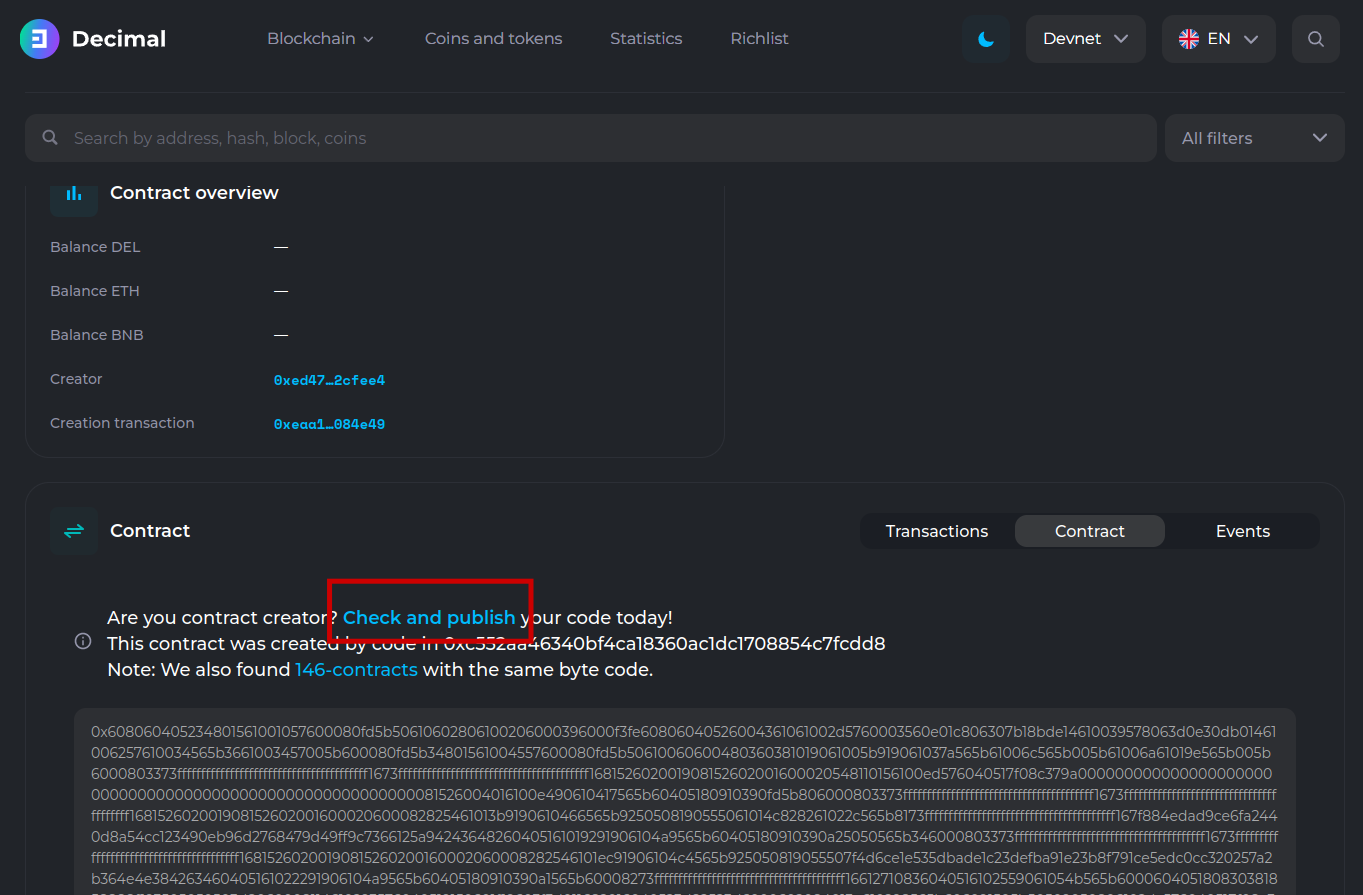
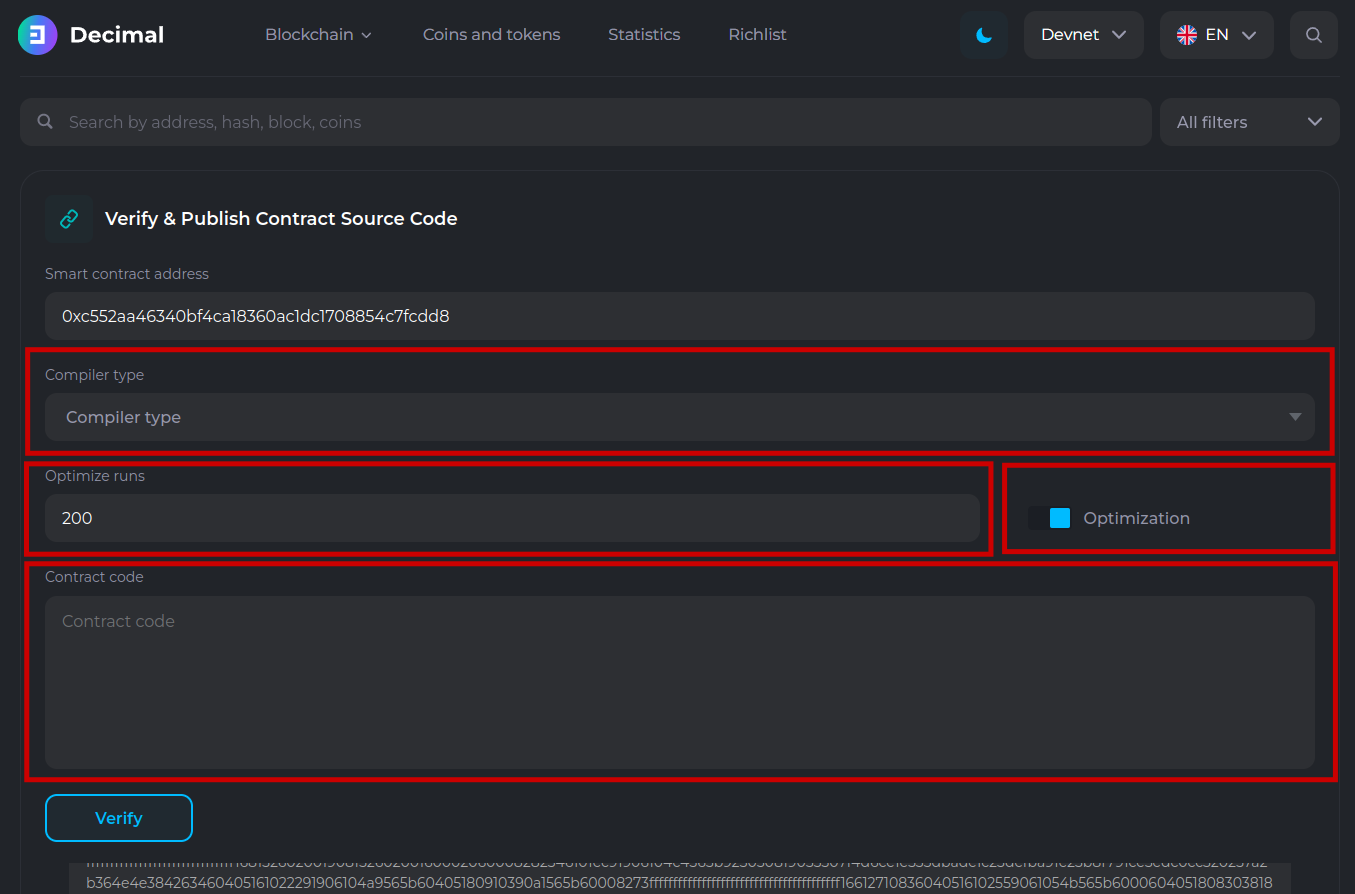
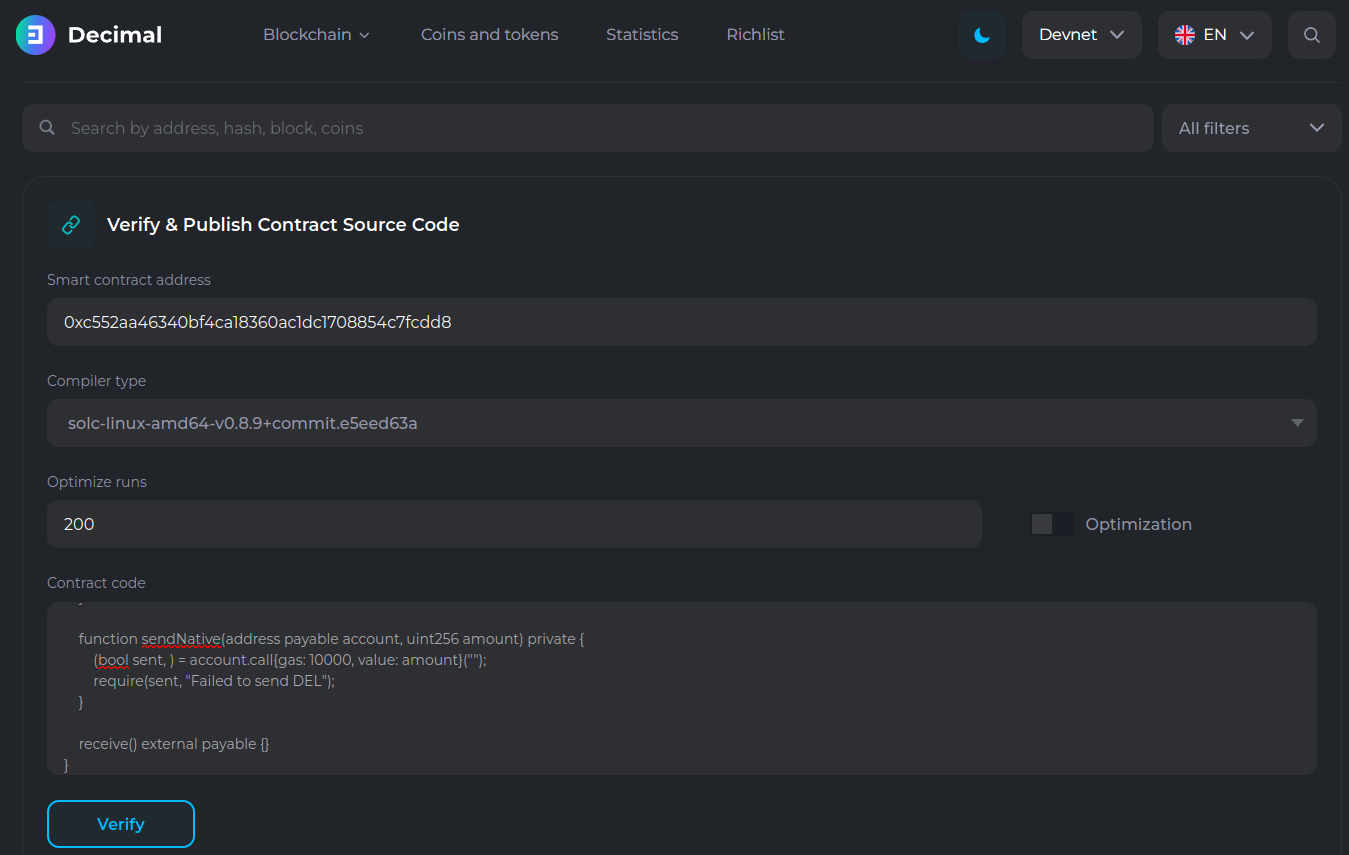
2.5 Here you see verification tab, you can choose compiler version, amount of optimization runs and put code of your contract.
How to find your compiler options:
2.5.1 Open the root of your project
2.5.2 Open artifacts/contracts/<contract name>.sol/<contract name>.dbg.json
2.5.3 Here you can find path to your build-info

2.5.4 Go through the path and open the build-info file
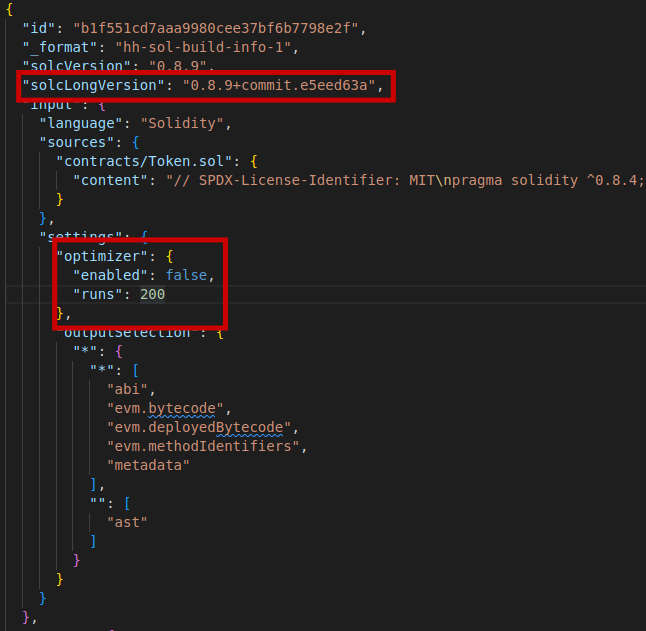
2.5.5 Go through the path and open the build-info file
solcLongVersion for us is 0.8.9+commit.e5eed63a
Optimizer turned off and have 200 runs
2.6 Put this parameters and your flattened contract code to verification tab like this:
2.7 If everything went well, you should see the verified status: